|
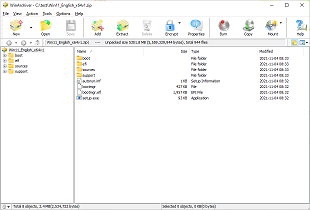
WinArchiver is a powerful
archive utility, which can open, create, and manage archive
files. It supports almost all archive formats, including zip, rar, 7z,
iso, and other popular formats. WinArchiver can also mount the archive to
a virtual drive without extraction.
WinArchiver
supports the following file types: .zip (WinZip Files), .rar (WinRAR
Files), .7z (7z Files), .mzp (Mountable Archive), .iso (CD/DVD Image
File), .xdi(Extended Disc Image File), .001 (7z Sub Volume), .arj, .bz2, .bzip2, .gz, .gzip, .tar, .taz, .tbz,
.tbz2, .tgz, .tpz, .cab, .cpio, .deb, .lha, .lzh, .rpm, .split, .swm, .wim
(Windows Imaging File), .z, .daa (PowerISO File), .bin, .cue, .mdf, .mds,
.ashdisc, .bwi, .b5i, .lcd, .img, .cdi, .cif, .p01, .pdi, .nrg (Nero Disc
Image), .ncd, .pxi, .gi, .fcd, .vcd, .c2d, .dmg (Apple Disc Image), .bif,
.ima, .flp, .uif (MagicISO File) WinArchiver Virtual Drive is a free Virtual
CD/DVD ROM utility. It can mount not only all popular CD/DVD image files,
but also all popular
archives. You can run programs or access the files from a virtual drive
without original cd/dvd discs. The virtual drive works 200x faster
than traditional cd/dvd rom drive.
WinArchiver Virtual Drive can mount ZIP, RAR, 7Z, and other archives as
virtual drive instantly. It provides a more convenient and faster way
to access files in archives. You can mount an archive as a virtual drive, then access files in the archive through the virtual
drive. With this feature, you don't need unpack archives before open
files in archive, which can help you save lots of time. |